

Setting the timer on a meat mixer is a crucial step in ensuring efficient and consistent meat processing. As a meat mixer supplier, I understand the importance of providing clear guidance on this topic. In this blog post, I'll walk you through the process of setting the timer on a meat mixer, offering tips and insights along the way.

Understanding the Importance of Timer Settings
Before we dive into the actual process of setting the timer, let's first understand why it matters. A meat mixer is designed to blend, mix, and emulsify meat and other ingredients. The duration of the mixing process can significantly impact the quality of the final product. If the meat is mixed for too short a time, the ingredients may not be properly combined, resulting in an uneven texture and flavor. On the other hand, over - mixing can lead to a loss of moisture and a tough, rubbery texture.
By setting the timer accurately, you can achieve the perfect balance, ensuring that the meat is mixed just right. This not only improves the taste and texture of the meat products but also increases productivity by allowing you to set the mixer to work while you attend to other tasks.
Types of Meat Mixers and Their Timer Systems
There are various types of meat mixers available in the market, each with its own timer system. Some of the common types include:
- Manual Meat Mixers: These are the most basic type of meat mixers. They usually have a simple on - off switch and may require you to manually time the mixing process using a separate timer, such as a kitchen timer or a stopwatch on your phone.
- Digital Meat Mixers: Digital meat mixers come with a built - in digital timer. You can easily set the desired time on the digital display, and the mixer will automatically stop when the time is up.
- Programmable Meat Mixers: These advanced meat mixers allow you to program multiple mixing cycles with different time settings. This is particularly useful for complex meat processing tasks where you need to mix the meat in stages.
Step - by - Step Guide to Setting the Timer on a Meat Mixer
Manual Meat Mixers
- Prepare Your Separate Timer: As mentioned earlier, you'll need a separate timer for manual meat mixers. Make sure it is set to the appropriate time for your meat mixing task. The time required can vary depending on the type of meat, the amount of ingredients, and the desired texture. For example, if you're mixing ground beef for burgers, a mixing time of 3 - 5 minutes is usually sufficient.
- Start the Mixer: Turn on the meat mixer using the on - off switch. The mixer will start blending the meat and ingredients.
- Monitor the Timer: Keep an eye on your separate timer. When the time is up, turn off the meat mixer immediately.
Digital Meat Mixers
- Power On the Mixer: Plug in the meat mixer and turn it on. The digital display should light up.
- Set the Time: Use the control buttons on the mixer to set the desired time. Most digital meat mixers have up and down arrow buttons or a numeric keypad for this purpose. Enter the number of minutes and seconds you want the mixer to run. For instance, if you want to mix the meat for 4 minutes, enter "4:00" on the display.
- Start the Mixing Process: Once the time is set, press the "Start" button. The mixer will start running, and the digital display will start counting down the time.
- Wait for the Timer to Expire: The mixer will continue to run until the timer reaches zero. At this point, it will automatically stop, and you can open the mixer to check the meat.
Programmable Meat Mixers
- Power On and Enter Programming Mode: Turn on the meat mixer and enter the programming mode. This is usually done by pressing a specific button on the control panel, such as the "Program" or "Setup" button.
- Define the Mixing Cycles: In the programming mode, you can define multiple mixing cycles. For each cycle, set the time, speed, and any other parameters you want. For example, you might set the first cycle to run for 2 minutes at a low speed to gently combine the ingredients, and the second cycle to run for 3 minutes at a higher speed for a more thorough mix.
- Save the Program: Once you've defined all the mixing cycles, save the program using the appropriate button on the control panel.
- Start the Program: Press the "Start" button to begin the programmed mixing process. The mixer will follow the settings you've defined in each cycle and stop automatically when the program is complete.
Tips for Setting the Timer
- Refer to the Manufacturer's Instructions: Always consult the user manual that comes with your meat mixer. The manufacturer's instructions will provide specific guidance on setting the timer and any other functions of the mixer.
- Conduct Test Runs: If you're using a new meat mixer or trying a new recipe, it's a good idea to conduct test runs with a small amount of meat. This will allow you to fine - tune the timer settings and ensure that you achieve the desired results.
- Consider the Ingredients: Different ingredients may require different mixing times. For example, if you're adding a lot of spices or other dry ingredients, you may need to mix the meat for a longer time to ensure that they are evenly distributed.
Related Products
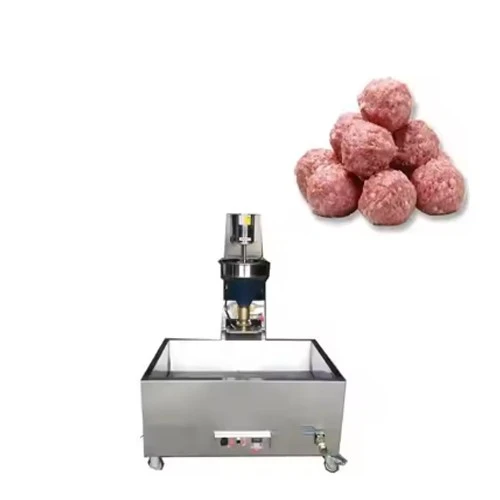
In addition to meat mixers, we also offer a range of other meat processing machines, such as the Vacuum Meat Mixer, Burger Patty Press Machine, and Meatball Cooking Machine. These machines can further enhance your meat processing capabilities and help you create high - quality meat products.
Conclusion
Setting the timer on a meat mixer is a straightforward process once you understand the type of mixer you have and its timer system. By following the steps outlined in this blog post and using the tips provided, you can ensure that your meat is mixed to perfection every time.
If you're interested in purchasing a meat mixer or any of our other meat processing machines, we encourage you to contact us for more information and to discuss your specific requirements. Our team of experts is ready to assist you in finding the right equipment for your business.
References
- Meat Mixer User Manuals
- Industry Best Practices for Meat Processing